Dynacom Dashboards1.0.2
Publisher Description
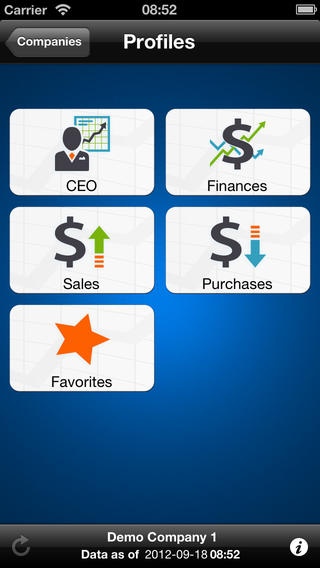
KEEP CONTROL OVER YOUR BUSINESS WITH THE DYNACOM DASHBOARD APP
The Dynacom Dashboard application lets you monitor the real-time evolution of your business financial situation wherever you are. At any time, monitor the performance of key result areas of your business activities using business metrics directly linked to your Dynacom Accounting management software.
View your sales statistics, your customer/supplier aging reports, measure your sales rep performance and get a complete picture of your business cash flow right in the palm of your hand.
Use the Dynacom Dashboard to make insightful decisions by getting timely information such as:
Bank account balances
Top 5 customer balances
Top 5 supplier balance
Business turnover
Sales by item, by customer, by sales rep
Sales rep profitability levels
Income statement
Balance sheet
Trial balance
Customer aging
To ensure optimal use of the Dynacom Dashboard application, we recommend the use of the iPhone 3GS or higher.
Communication between the Dynacom Dashboard application and the Dynacom Accounting software requires a valid subscription to the Dynacom Preferential Service support plan (for more information, go to http://www.dynacom.com/en-us/support/preferentialservice.aspx?utm_source=iOSDash)
Requires iOS 5.0 or later. Compatible with iPhone, iPad, and iPod touch.
About Dynacom Dashboards
The company that develops Dynacom Dashboards is Dynacom Technologies Inc.. The latest version released by its developer is 1.0.2.
To install Dynacom Dashboards on your iOS device, just click the green Continue To App button above to start the installation process. The app is listed on our website since 2012-08-01 and was downloaded 14 times. We have already checked if the download link is safe, however for your own protection we recommend that you scan the downloaded app with your antivirus. Your antivirus may detect the Dynacom Dashboards as malware if the download link is broken.
How to install Dynacom Dashboards on your iOS device:
- Click on the Continue To App button on our website. This will redirect you to the App Store.
- Once the Dynacom Dashboards is shown in the iTunes listing of your iOS device, you can start its download and installation. Tap on the GET button to the right of the app to start downloading it.
- If you are not logged-in the iOS appstore app, you'll be prompted for your your Apple ID and/or password.
- After Dynacom Dashboards is downloaded, you'll see an INSTALL button to the right. Tap on it to start the actual installation of the iOS app.
- Once installation is finished you can tap on the OPEN button to start it. Its icon will also be added to your device home screen.
